Fierce Health

Managing your care and subscription

Welcome! This guide walks you through everything you can do from your account, from messaging your care team to managing your orders. Bookmark it so it's handy whenever you need it. You have two places to log in. Here's what each one is for.

PART 1: Managing your care
Logging in

  1. Go to your Care Portal login page
  2. Enter the email address you used when you signed up.
  3. Enter your password and select Log In. Forgot it? Choose Forgot Password and check your email for a reset link.

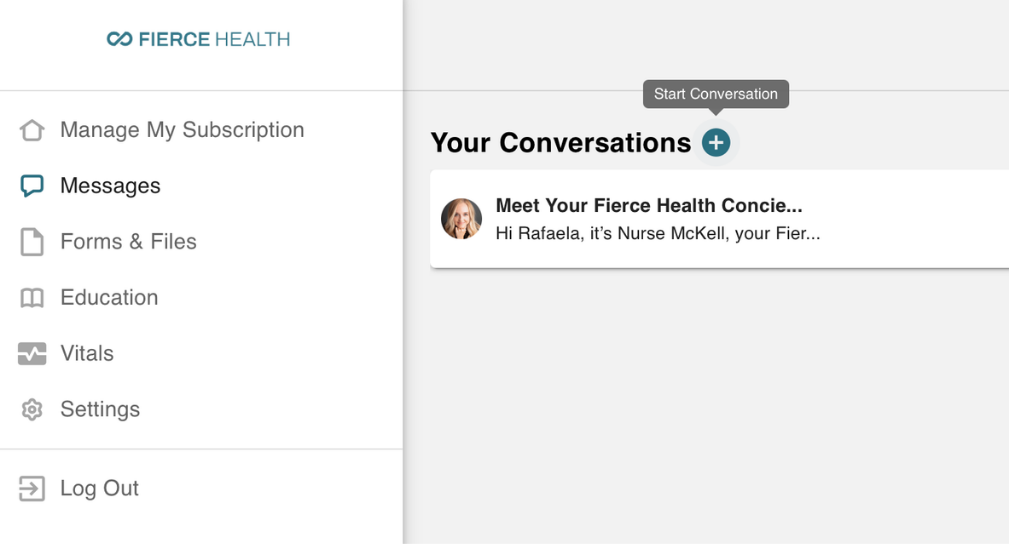
Messaging your care team

  1. From your portal home, open the Messages tab.
  2. Select New Message, or reply in an existing thread.
  3. Type your question and select Send. Your care team typically replies within 1 business day.
Messaging your care team

Viewing your lab results

  1. Open the Forms & Files section.
  2. Select the result you want. Read it on screen or download a copy.
  3. Questions about a result? Use Messages to ask your care team.

Using your Education library

  1. From your portal home, open the Education tab.
  2. See everything in one place: About Your Medication, how it works, Benefits, Dosing, and Side Effects & Management written in plain language.
  3. Tap any guide to read it, or download the freebies (dosing trackers, side-effect checklists, and quick-start guides) to save or print anytime.

Part 2: Managing your subscription
Logging in

  1. Go to your Subscription Portal
  2. Enter the email tied to your subscription.
  3. You'll receive a one-time login link or code by email. Select it, or enter the code, to access your account.

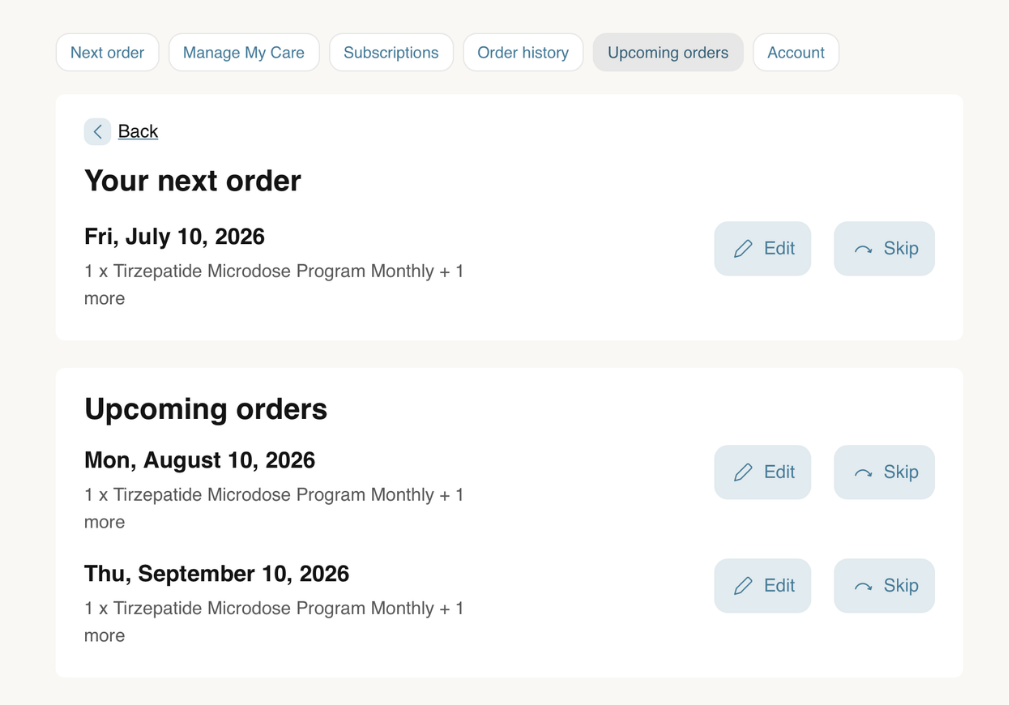
Viewing your next order

  1. From your account home, find the Upcoming Orders tab.
  2. You'll see your next charge date, the products in the order, and you can also update your upcoming orders from here.
Viewing your next order

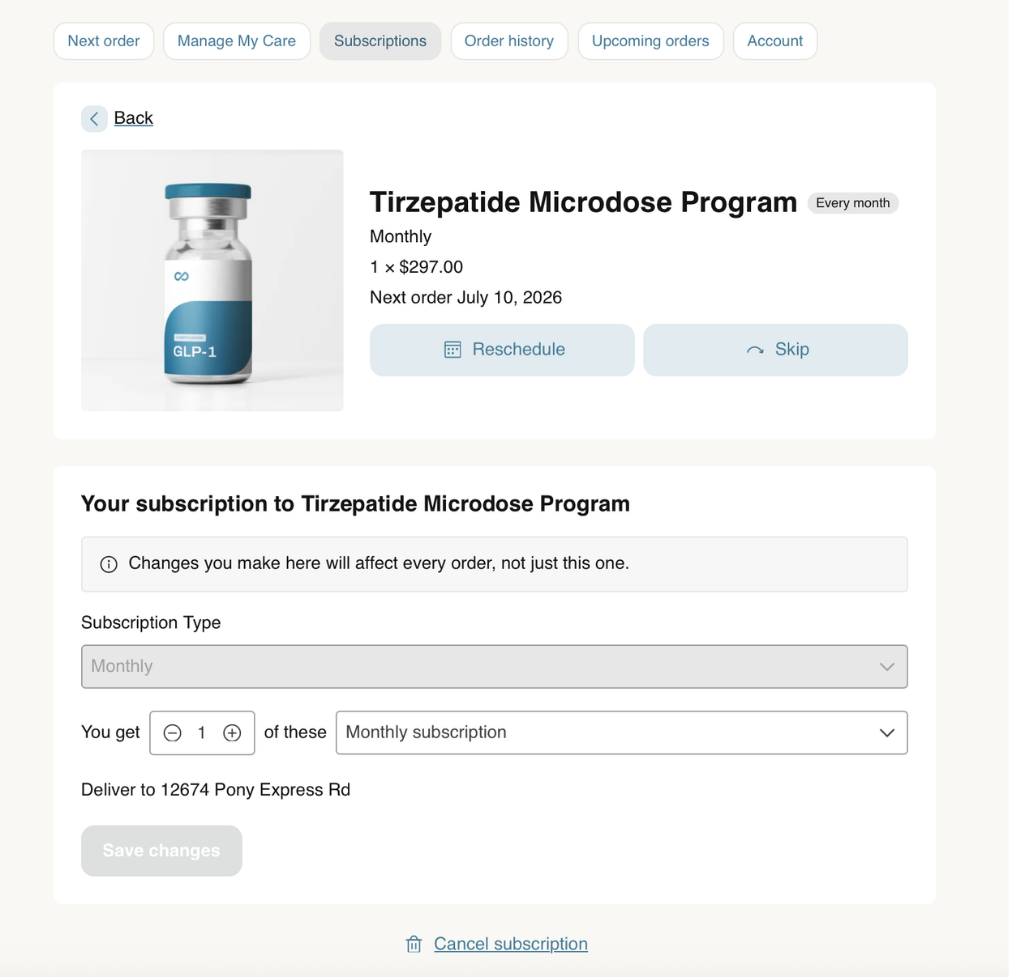
Skipping or delaying an order

  1. Open the Subscription tab and choose the product you want to change.
  2. Select Reschedule or Skip to push it to a later date.
  3. Confirm. You'll get an email confirming the change.
Skipping or delaying an order

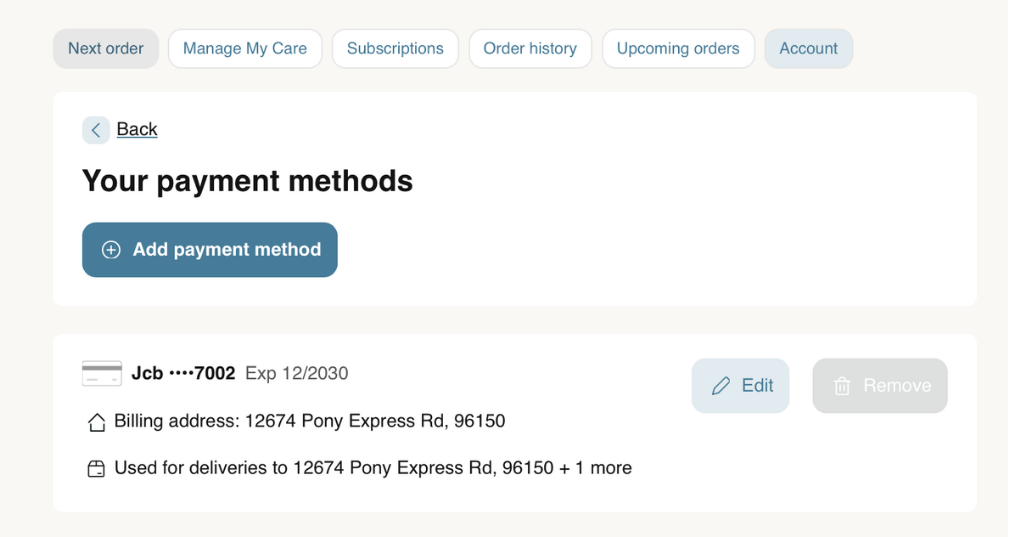
Updating your payment method

  1. Open Account tab
  2. Select Manage Payment Methods.
  3. Enter your new card details and save.
Updating your payment method

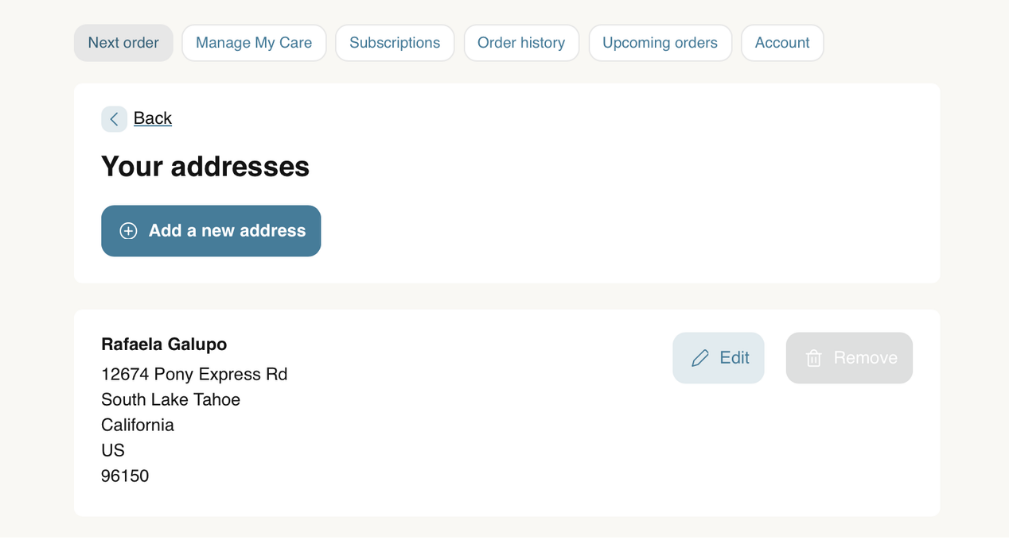
Updating your shipping address

  1. Open Account tab
  2. Select Manage Addresses.
  3. Update it and save. Do this before your next charge date so your order ships to the right place.
Updating your shipping address

Cancelling your subscription

  1. Open the Subscriptions tab.
  2. Select Cancel Subscription at the bottom of the page and follow the prompts.
  3. You'll receive a confirmation email. Change your mind? You can reactivate any time.

Before you cancel: If cost or timing is the issue, try skipping or delaying instead. And if something isn't working for you, message your care team first. We're here to help you find the right fit.

Need help?

We've got you.

Thank you for trusting Fierce Health with your care. Here's the fastest way to reach the right team.

Health questions

Message your care team inside the Care Portal.

Order and billing

Reach us at support@fiercehealth.com.

Hours

We're available Mon to Fri, 9am to 5pm.